Introduction
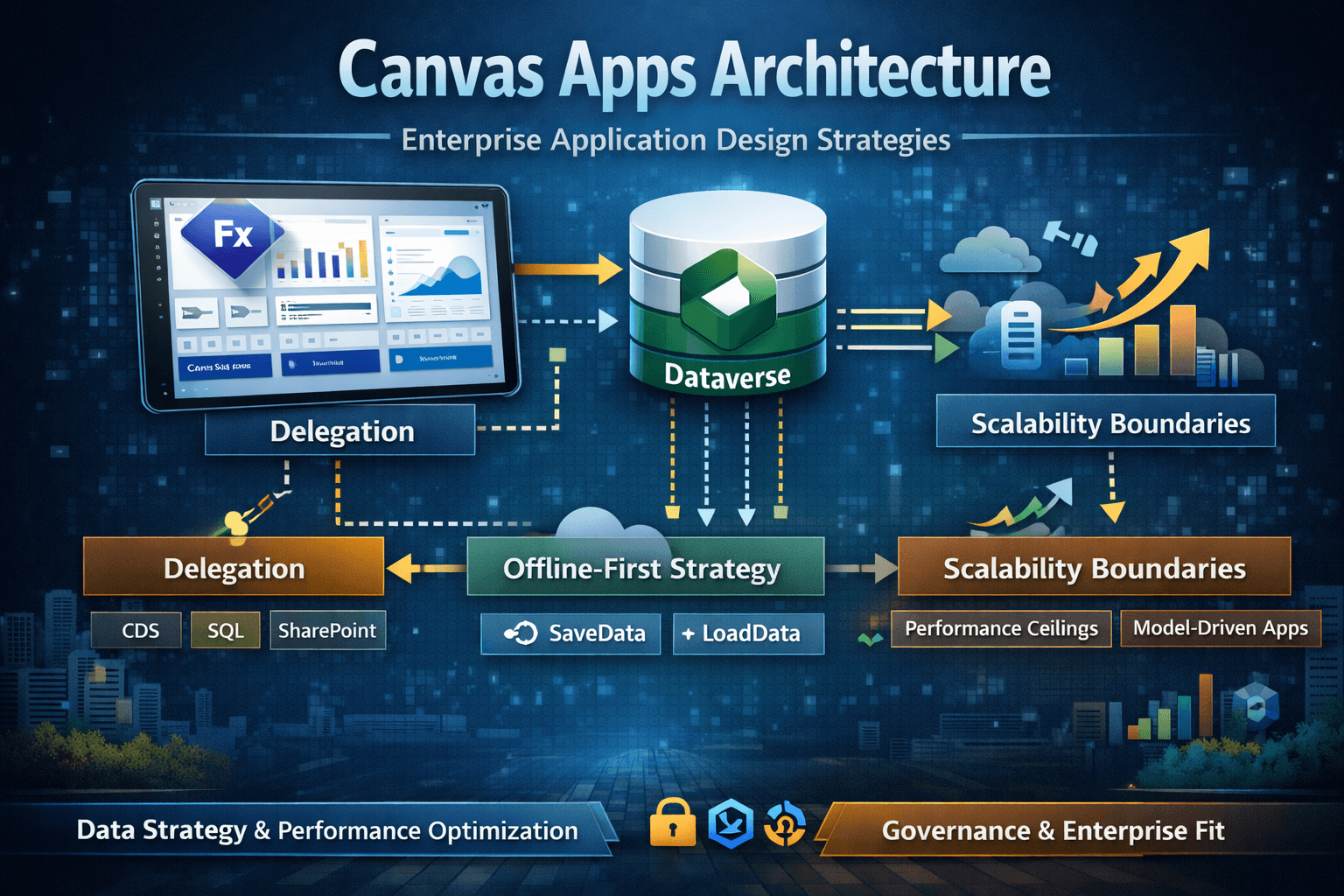
Canvas apps are client-driven, formula-based applications where:
- UI logic executes primarily on the client
- Data operations are delegated to the server only when possible
- The app's performance is often dictated by query shape, not infrastructure
Canvas apps are excellent for:
- Task centric apps
- Mobile scenarios
- Custom UX
- Rapid delivery
They are not:
- Server side applications
- Designed to pull large datsets into memory
- Automatically scalable just because Dataverse is scalable
With 1 million records, design discipline matters more than hardware
Canvas Execution Model (Architectural Reality)
Canvas apps execute primarily on the client.
Dataverse executes on the server.
Every formula decision determines:
- Where logic runs
- How much data travels over the network
- Whether results are complete or partial
Canvas scalability is therefore:
- A query design problem
- A delegation discipline problem
- A UX constraint problem
Delegation - Most common Failure Mode
What Delegation Really Means Delegation is the ability for Power Apps to push data operations to Dataverse instead of executing them locally on the client. If a function is delegable:
- Dataverse filters/sorts the data
- Only matching records are returned
If it is not delegable:
- Powerapps pulls a limited subsey (500-2000 records)
- Logic runs locally
- Results are incomplete and misleading
Delegation Patterns
Pattern 1 - Non Delegable Filter on Large table
Bad Pattern
Filter(Accounts, StartsWith(Name, "Contoso"))
If StartsWith is not delegable for the connector and column:
- Only first N records are evaluated
- App silently returns wrong results
Better Pattern
Filter(Accounts,Name >= "Contoso" && Name < "Contosp")
Or:
- Use indexed columns
- Use search-friendly patterns
- Redesign UX(search box and server filtering)
Pattern 2- Using LookUp Inside Galleries
Bad Pattern
AddColumns(
  Accounts,
  "PrimaryContact",
  LookUp(Contacts,ContactId=Accounts[@PrimaryContactId],FullName)
)
At scale:
- Triggers per-row lookups
- Causes N+1 query behavior
- App becomes unusable
Better Pattern
- Pre join data server-side (Dataverse view/FetchXML)
- use flattened or denormalized data
- Load related data only when navigating to detail screens
Pattern 3 - Sorting Large Datasets Client-Side
Bad Pattern
Sort(Accounts, CreatedOn, Descending)
If Sort is not delegable:
- Only partial data sorted
- Incorrect "latest" results
Better Pattern
- Use server side views
- Predefine sorting in Dataverse
- Or restrict dataset via delegable filters first
Canvas App Performance Checklist(Enterprise-Grade)
Data Access and Querying
- Always filter before loading into galleries
- Always use delegable functions for large tables
- Always select minimal columns
- Never load entire tables
- Never rely on delegation warnings being harmless
UI and Formula Performance
- Minimize OnVisible heavy logic
- Avoid nested ForAll loops on large collections
- Cache lookup/reference data in collections only if small
- Use With() to avoid repeated calculations
- Prefer simple formulas over clever ones
App StartUp Optimization
- Do not preload data unless required
- Load data on demand(screen navigation)
- Defer expensive logic until user action
- Avoid initializing many global variables at startup
Security and Scale
- Let Dataverse security trim data
- Do not simulate security in formulas
- Avoid role-based branching logic that affects data quries
- Test performance with non-admin users
Offline-First Architecture Patterns
Offline support becomes mandatory in:
- Field operations
- Warehouse
- Retail
- Remote areas
Offline apps must assume eventual consistency, not immediate truth
Offline- First Pattern
Canvas App
  |
  |- Local Collections (Offline cache)
  |
  |- Change Queue (Create/Update/Delete)
  |
  |- Sync Engine
        |
      Dataverse
Offline Data Strategy
Cache only what's needed
- User-specific data
- Recent records
- Reference tables (small)
Never cache
- Entire large tables
- Rapidly changing global datasets
Conflict Handling Strategy
Common conflicts:
- Record updated by another user
- Record deletd while offline
Enetrprise pattern:
- use status fields (Pending/Synced/Conflicts)
- Surface conflicts to user
- Do not auto-overwrite silently
1 Million Records
What Does NOT works
- Loading large collections
- Client side filtering
- Infinite scrolling without server paging
- Power Automate as a data access layer
- Treating Canvas apps like server apps
What Does Works
Pattern A - Search-Driven UI
- No default data load
- User enters search criteria
- Delegable filter returns small subset
Pattern B - Partitioned Data Access
- Data partitioned by:
- User
- Territory
- Date
- Queries always scoped
Pattern C- Summary -> Detail
- Summary list uses pre-aggregated data
- Detail screen loads full record on demand
Anti-Patterns
- Canvas app as full ERP front-end replacement
- Loading entire tables into collections
- Using Power Automate as a data access layer
- Simulating security logic in formulas
- Ignoring delegation warnings
Recommended Canvas App Architecture Template
Screen Architecture
App Start
  |
  |- Home/Dashboard (No large data)
  |
  |- Search/ Filter Screen
  |        |- Delegable query
  |
  |- List screen (Paged/Scoped)
  |
  |- Detail Screen
        |- Load record on navigation
        |- Load related data on demand
Data Access Pattern
- Use Dataverse views as API contracts
- Treat Power Apps as a thin client
- Centralize query logic
- Avoid duplicated formuals acrossw screens
Logic Placement Rules in Canvas App
| Logic Type | Place It |
|---|---|
| Validation | Dataverse(Plugin/API) |
| UI Behavior | Canvas Formulas |
| Heavy computation | Dataverse/Azure |
| Orchestration | Power Automate |
| Security | Dataverse only |
Role-Based Perspective
Admin
- Enforce DLP
- Monitor app usage
- Prevent uncontrolled app sprawl
Architect
- Decide Canvas vs Model Driven intentionally
- Define scale limits per app
- Enforce architecture templates
- Avoid Canvas everywhere strategy
Developer
- Design for delegation first
- Measure performance early
- Test with realistic data volumes
User
- Expect search-driven UX
- Expect slight sync delays (offline)
- Expect scoped views, not global list
Common Confusion and Failure Scenarios
- Dataverse can handle 1M records, so my app can
- Dataverse can; client-side formulas cannot
- Delegation warnings are optional
- They are warnings that app is wrong at scale
- Offline sync should just work
- Offline is a distributed system problem
Summary
Canvas apps:
- SCale by design, not by accident
- Require strict delegation discipline
- Must treat Dataverse as the server
- Should load data on demand
- Can support very large datasets when architected correctly